Retro Style Photo Edit | Best AI Editor, Apps & Online 2026
Vintage aesthetics have returned in a big way. Social media feeds, music covers, travel blogs, and fashion brands now embrace old-school photography more than ever. According to Adobe’s 2025 Creative Trends Report, nostalgic visual styles remain one of the strongest creative trends because they create emotional connections and stand out in crowded digital spaces.
If you’ve ever wondered how creators achieve those faded colors, film grain, and classic camera effects, this guide is for you. A retro style photo edit combines modern editing tools with vintage-inspired effects to recreate the charm of film photography. Whether you use AI-powered software or manual editing techniques, you can transform ordinary images into timeless works of art.
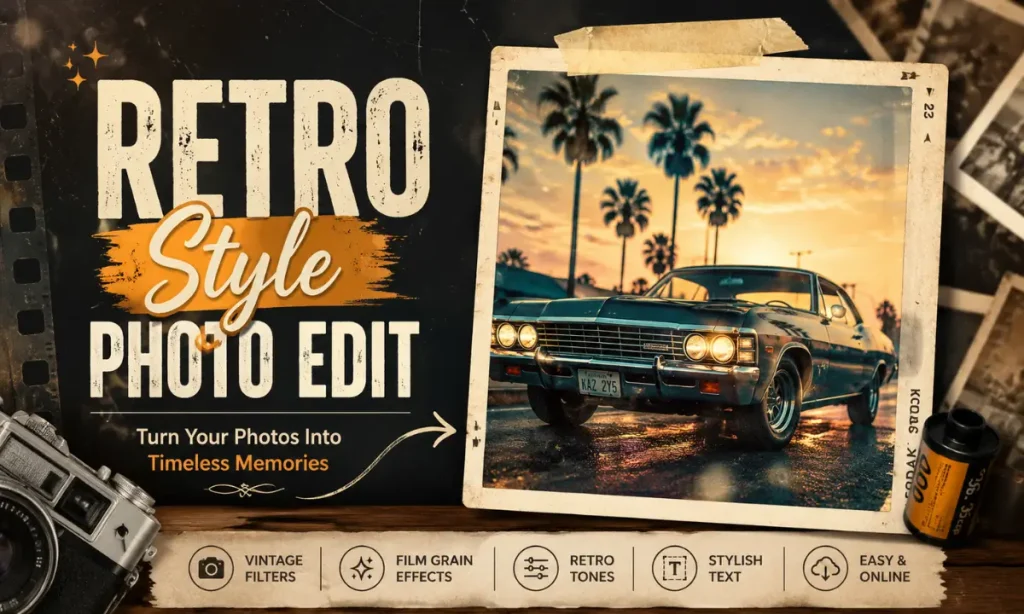
This guide explains everything from choosing the best editor to applying authentic vintage effects.
What Is Retro Style Photo Edit?
A retro style editing is the process of transforming a modern image so it resembles photographs captured decades ago. The final image often mimics film cameras from the 1960s, 1970s, 1980s, or 1990s.
Instead of creating a perfectly sharp image, retro editing intentionally adds imperfections that make photos feel nostalgic. Also try: Prio Topic Edit & VM Editor
Common retro elements include:
Why Retro Editing Is Trending in 2026?
Nostalgia has become one of the strongest design trends across digital media. Short-form video platforms, fashion brands, photographers, and influencers frequently use vintage visuals to create memorable content.
According to Adobe’s Creative Trends Report (2025), nostalgic design continues to influence photography, branding, and social media because it evokes emotion and authenticity.
Several factors explain its popularity.
Emotional Appeal
Retro images remind viewers of family albums, childhood memories, and classic films. That emotional response often increases engagement.
Better Social Media Performance
Vintage edits stand out in feeds filled with overly bright and heavily processed images.
Brand Identity
Many businesses use retro-inspired visuals to appear authentic, creative, and timeless.
AI Makes Editing Easier
Modern AI editing tools automatically recreate realistic film effects within seconds.
Best Retro Style AI Photo Editor Tools
Artificial intelligence has changed photo editing dramatically. Today’s AI editors can generate professional vintage looks with minimal effort. Popular options include:
Adobe Express
Adobe Express provides one-click vintage filters, film grain effects, faded color adjustments, and customizable overlays.
Best for:
- Beginners
- Social media creators
- Business marketing
Canva
Canva includes vintage templates, old-film effects, and aesthetic editing presets.
Perfect for:
- Instagram posts
- Pinterest graphics
- Blog feature images
Remini
Originally known for photo enhancement, Remini now includes artistic AI filters that create nostalgic portraits.
Ideal for:
- Portrait editing
- Family photos
- Historical recreations
Fotor
Fotor remains a favorite Vintage retro photo editor thanks to its extensive collection of classic filters and texture overlays.
Features include:
Pixlr
Pixlr offers browser-based editing without requiring installation.
Its vintage presets work well for users who prefer Retro style photo edit online instead of downloading software.
Best Retro Style Photo Edit App Options
Many creators prefer editing directly from their phones. A quality Retro style photo edit app provides quick access to filters, overlays, and adjustment tools.
Some of the best options include:
VSCO
Known for realistic film simulations.
Popular filters:
Snapseed
Google’s Snapseed gives complete manual control over exposure, curves, grain, and texture. Ideal for photographers wanting authentic film effects.
Lightroom Mobile
Adobe Lightroom offers professional color grading and custom presets.
You can combine:
to create highly realistic results.
Prequel
Prequel specializes in aesthetic editing styles.
Its retro collection includes:
1998 Cam
This app recreates disposable camera photography with authentic date stamps and vintage colors. Many lifestyle influencers rely on it for travel photography.
Retro Style Photo Edit Online vs Mobile Apps
| Feature | Retro Style Photo Edit Online | Retro Style Photo Edit App |
|---|
| Accessibility | Works directly in a web browser without installation | Requires downloading and installing an app |
| Device Support | Accessible on desktops, laptops, and tablets | Optimized for Android and iOS smartphones |
| Ease of Use | Larger workspace with easier editing controls | Touch-friendly interface for quick edits |
| Editing Features | Advanced tools, layers, and detailed adjustments | One-tap filters and AI-powered editing options |
| Performance | Depends on internet speed and browser performance | Faster processing with device hardware support |
| AI Capabilities | Many online editors include AI-enhanced filters | AI features are often optimized for mobile photography |
| Sharing Options | Download first, then upload to social media | Share directly to Instagram, TikTok, Facebook, and more |
| Best For | Bloggers, designers, photographers, and professionals | Content creators, influencers, and casual users |
| Internet Requirement | Usually requires an active internet connection | Many apps support offline editing after installation |
| Popular Examples | Pixlr, Fotor, Canva, Photopea | VSCO, Snapseed, Lightroom Mobile, Prequel, 1998 Cam |
How to Create a Retro Style Photo Edit Online?
You don’t need expensive software to produce professional-looking vintage images. Follow these simple steps.
Step 1: Choose the Right Photo
Start with:
Photos with natural lighting usually produce the best results.
Step 2: Reduce Contrast
Vintage cameras rarely produced extremely sharp, high-contrast images. Lower the contrast slightly to soften the overall appearance.
Step 3: Warm the Color Temperature
Increase warm tones by adding subtle yellow or orange hues. Avoid making the image look overly saturated.
Step 4: Add Film Grain
Film grain creates the authentic texture associated with analog photography. Keep the grain moderate to maintain image quality.
Step 5: Fade the Blacks
Lift the black point slightly. This creates the faded appearance commonly seen in old photographs.
Step 6: Add Light Leaks
Soft orange or red light leaks mimic accidental film exposure. Use them sparingly for a realistic effect.
Best Settings for an Authentic Vintage Look
A professional retro style photo edit isn’t just about adding a filter. Fine-tuning individual settings creates a more realistic film-inspired look.
| Setting | Recommended Range | Purpose |
|---|---|---|
| Exposure | -0.2 to +0.2 | Maintain natural brightness |
| Contrast | -10 to -25 | Create a softer appearance |
| Highlights | -20 to -40 | Recover bright areas |
| Shadows | +10 to +30 | Reveal more details |
| Saturation | -10 to -20 | Reduce overly vibrant colors |
| Temperature | +5 to +15 | Add warm vintage tones |
| Grain | +20 to +40 | Simulate classic film texture |
| Fade | +10 to +25 | Recreate old photo softness |
| Vignette | -10 to -20 | Draw focus toward the subject |
These settings can be adjusted based on your image and the decade you want to recreate.
Retro Style Photo Edit Boy Ideas
A Retro Style Photo Edit Boy theme has become popular on Instagram, TikTok, and Pinterest. The goal is to create a stylish, nostalgic portrait with vintage colors and cinematic effects.
Here are some creative ideas:
Retro Style Photo Edit Text Ideas
Adding stylish typography can enhance the nostalgic feel of your image. A well-designed Retro Style Photo Edit Text overlay gives your photo a classic poster or film-camera aesthetic.
Popular text ideas include:
Tips to Make Your Retro Photos Stand Out
Small adjustments can make a big difference in the final result.
How to Use a Retro Style Photo Editor Step by Step?
Whether you use a desktop editor or a mobile app, the editing process is straightforward.
- Upload your photo to your preferred editor.
- Select a vintage or film-inspired preset.
- Reduce contrast and saturation slightly.
- Increase warmth for nostalgic tones.
- Add realistic film grain.
- Apply light leaks if needed.
- Fine-tune shadows and highlights.
- Add vintage borders or frames.
- Insert stylish retro text if desired.
- Export the image in high resolution.
Conclusion
A well-crafted retro style photo edit transforms ordinary images into timeless photographs filled with character and nostalgia. Whether you choose a ai photo editor, a Vintage retro photo editor, a Retro edit app, or a Retro edit online tool, the key is to keep your edits natural and balanced.
Experiment with film grain, warm tones, faded colors, and subtle textures to create a vintage aesthetic that matches your style. With the right techniques and consistent practice, you can produce eye-catching retro photos that stand out across social media, blogs, and personal portfolios.