Gemini AI Beach Photo Editing Prompts That Make Photos Viral
Beach photography is naturally captivating, but capturing a perfect shot can be challenging. Light changes constantly, waves move unpredictably, and achieving the right balance of colors often takes time. With Google Gemini AI, you can enhance your beach photos quickly and effortlessly. Gemini AI allows you to:
Whether you are a beginner or a professional photographer, Gemini AI simplifies beach photo editing, making it possible to produce social media-ready, high-quality images in minutes.
What Are Gemini AI Beach Photo Editing Prompts?
Gemini AI prompts are detailed instructions that guide the AI to enhance or generate images. The more specific your prompt, the better the result. For example, instead of simply typing “beach photo,” you can write:
“A tropical beach at sunset with golden sunlight reflecting on gentle waves, soft clouds in the sky, cinematic lighting, and ultra-realistic details.”
A well-crafted prompt helps Gemini AI understand not only the scene but also the mood, style, and quality you want. This allows anyone, even without professional editing skills, to create images that look polished and cinematic.
Why Gemini AI Excels in Beach Photo Editing
Beach photos are complex because they involve natural elements that vary constantly: sunlight, shadows, ocean colors, sand textures, and reflections. Gemini AI simplifies this process by analyzing the scene and intelligently enhancing it.
For example:
Gemini AI also encourages experimentation. You can create tropical, cinematic, or surreal beach scenes, generating multiple variations quickly to find the perfect image.
Top Gemini AI Beach Photo Editing Prompts
Here are some ready-to-use prompts to get started:
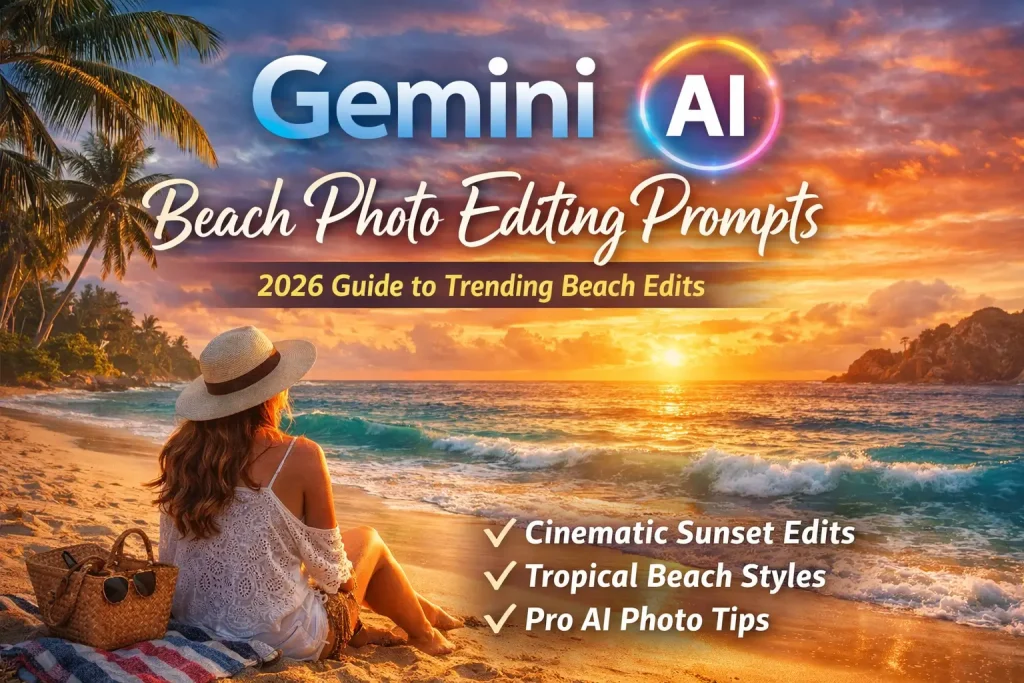
Cinematic Sunset Beach
“Cinematic beach scene during golden hour, sunlight reflecting on gentle waves, warm tones, realistic shadows, ultra HD.”
Tropical Beach Aesthetic
“Tropical beach with crystal clear water, bright blue sky, lush palm trees, vibrant colors, Instagram aesthetic, high detail.”
Romantic Beach Couple Shoot
“Romantic beach couple at sunset, soft lighting, natural skin tones, cinematic mood, shallow depth of field, professional portrait.”
Night Beach Glow
“Beach at night with glowing neon reflections, stars in the sky, dreamy lighting, cinematic atmosphere, ultra realistic.”
Realistic Beach Enhancement
“Enhance this beach photo with natural lighting, clearer sky, vibrant ocean colors, sharp details, realistic shadows, high resolution.”
How to Write Effective Gemini AI Prompts
To get the best results, structure your prompts as Scene + Lighting + Style + Quality. For example:
- Scene: Tropical beach
- Lighting: Golden hour
- Style: Cinematic
- Quality: Ultra HD, realistic
Final prompt example:
“Tropical beach at sunset with golden hour lighting, cinematic style, ultra HD, realistic textures.”
Experimenting with small changes in wording can produce vastly different results, so iteration is key.
If you want to explore more advanced techniques, check out our AI Photo Editing Prompts Guide for step-by-step instructions.
Trending Beach Photo Editing Styles (2026)
Some styles dominate social media and travel photography in 2026:
Using Gemini AI prompts tailored to these trends ensures your beach photos remain fresh and shareable.
Applications and Use Cases
Gemini AI beach photo editing prompts are versatile. They work well for:
By adapting your prompts to each platform, you can create images optimized for aesthetic appeal and engagement.
Limitations and Best Practices
While Gemini AI is powerful, it has some limitations. It may not perfectly replicate faces in some scenarios, and over-editing can appear unnatural. To achieve the best results:
Tips for High-Quality Results
High-quality beach edits depend on thoughtful prompt writing and experimentation. Some tips:
Conclusion
Gemini AI empowers photographers and creators to transform ordinary beach photos into high-quality, cinematic images. By mastering prompt writing and experimenting with styles, anyone can achieve professional-level results without complex tools or expertise. Start exploring the prompts above and turn your beach photos into viral, visually stunning content that captures attention across social media and beyond.