Spider-Man AI Photo Editing Prompts | Create Viral Images 2026
Spider-Man AI photo editing prompts are one of the most powerful ways you can create cinematic superhero visuals using artificial intelligence. With tools like Midjourney, DALL·E, Leonardo AI, and Adobe Photoshop AI, you can turn simple ideas or photos into high-quality Marvel-style artwork in seconds.
You don’t need advanced editing skills anymore. You only need structured prompts, and AI handles the rest for you by generating detailed, creative visuals that look like scenes from a blockbuster movie.
This guide will help you understand everything step by step—from how the system works to advanced prompt strategies that you can use to create viral Spider-Man AI images.
What is Spider-Man AI Photo Editing?
Spider-Man AI photo editing is the process of using artificial intelligence to generate Spider-Man-themed images from text prompts or existing photos.
Instead of manually editing in software like Photoshop, you describe what you want, and AI builds the image for you.
You can create different types of visuals such as:
- Spider-Man swinging across skyscrapers
- Realistic suit transformation from human to superhero
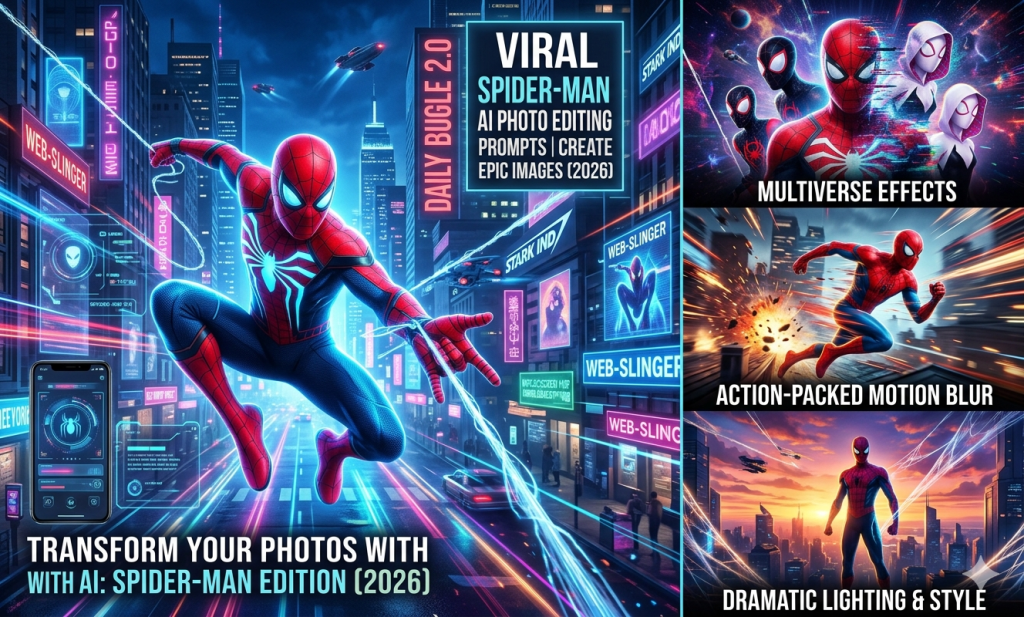
- Multiverse Spider-Verse scenes with multiple characters
- Comic-style Marvel illustrations
- Dark symbiote Spider-Man versions
This approach is widely used by creators because it saves time and produces highly engaging, viral-ready content.
How Spider-Man AI Image Generation Works
AI image generation uses diffusion models trained on massive image datasets. When you enter a prompt, the AI interprets your description and generates visuals step by step.
Here is a simple breakdown of how it works:
- You write a detailed text prompt
- AI analyzes subject, lighting, style, and environment
- It generates multiple image variations
- You refine results by adjusting the prompt
The more detailed your prompt is, the more cinematic and accurate your final image becomes. Also Check: Luxury Money Lifestyle AI Photo Editing Prompt.
Step-by-Step Workflow You Can Follow
If you want to create high-quality Spider-Man AI images, you should follow a structured workflow.
First, choose the right AI tool based on your needs. Midjourney is ideal for cinematic visuals, DALL·E is great for beginners, and Leonardo AI gives you advanced creative control.
Next, focus on writing a strong prompt. A good prompt usually includes character, action, environment, lighting, style, and quality level.
After that, generate your image and analyze the output. If it’s not perfect, you simply refine your prompt by adding more detail or improving structure.
Best Spider-Man AI Photo Editing Prompts
Below are carefully crafted prompts that you can directly use to create cinematic Spider-Man visuals.
Cinematic City Swing Scene
Spider-Man swinging between skyscrapers in a futuristic city at night, neon reflections, heavy rain, cinematic motion blur, ultra-realistic 8K quality, dramatic movie lighting, powerful action atmosphere that feels like a Marvel film scene.
Human to Spider-Man Transformation
A young man transforming into Spider-Man suit, half human half superhero transition effect, glowing suit forming over body, studio lighting, ultra-detailed skin and fabric textures, cinematic realism transformation moment.
Spider-Verse Multiverse Scene
Spider-Man entering glowing multiverse portal, multiple Spider-Man variants appearing in background, energy distortions, sci-fi particles, cinematic depth, ultra-HD storytelling scene.
Trending Spider-Man AI Styles You Should Try
Spider-Man AI art is constantly evolving, and different styles are trending across social media platforms.
Some of the most popular styles include cyberpunk Spider-Man, where neon cityscapes and futuristic designs dominate the scene. Another trending style is Spider-Verse multiverse art, where multiple Spider-Man versions appear in one frame with glowing energy effects.
You can also explore cinematic Marvel movie-style visuals that look like official film stills, or go for comic-inspired artwork that brings a nostalgic feel.
Tools You Can Use for Spider-Man AI Creation
Different AI tools give you different levels of control and quality.
Midjourney is widely used for cinematic and artistic outputs. It produces highly detailed visuals that look like professional concept art.
DALL·E, developed by OpenAI, is more beginner-friendly and allows you to generate clean images quickly.
Leonardo AI gives advanced customization options, especially useful for character design and gaming visuals.
Adobe Photoshop AI helps you refine generated images by improving lighting, sharpness, and realism.
Uses of Spider-Man AI Images
Spider-Man AI-generated images are used in many creative industries today.
You can use them for social media content where cinematic visuals help you attract more engagement and viral reach. Many YouTubers also use Spider-Man AI art for thumbnails because it significantly improves click-through rates.
Digital artists use these tools to build portfolios and showcase creativity without traditional drawing skills. Even marketers use superhero visuals in advertising campaigns to make content more engaging.
Some common use cases include:
- Social media posts and reels
- YouTube thumbnails
- Digital art portfolios
- Marketing campaigns
Common Mistakes You Should Avoid
Many beginners struggle with AI image generation because they make simple mistakes.
One of the most common mistakes is using very short prompts that lack detail. When you only write “Spider-Man image,” the AI cannot understand your creative vision.
Another mistake is ignoring lighting, environment, and camera angles. These elements are essential for cinematic quality.
You should also avoid overloading prompts with unnecessary words. A balanced and structured prompt always produces better results.
Conclusion
Spider-Man AI photo editing prompts allow you to create cinematic Marvel-style visuals instantly using artificial intelligence. You don’t need advanced editing experience—only a clear idea and well-structured prompts. As you practice and refine your prompts, you will naturally improve your results and start creating viral-quality AI artwork that stands out on social media platforms.