Girl Car Entry AI Video Editing Prompt 2026
The Girl Car Entry AI Video Editing trend is quickly becoming popular on short video platforms. You may have seen videos where a girl stands confidently, and suddenly a luxury car appears. She enters the car in a cinematic style. The scene looks realistic, smooth, and visually powerful. These edits grab attention within seconds.
What makes this girl car entry trend special is how easy it is to create. You do not need professional editing skills. With tools like CapCut, AI video generators, and smart prompts, anyone can create this type of content. That is why creators on Instagram Reels and TikTok are using this format to go viral. Also check: Bike Ride AI Video Editing & Paro AI Video Editing
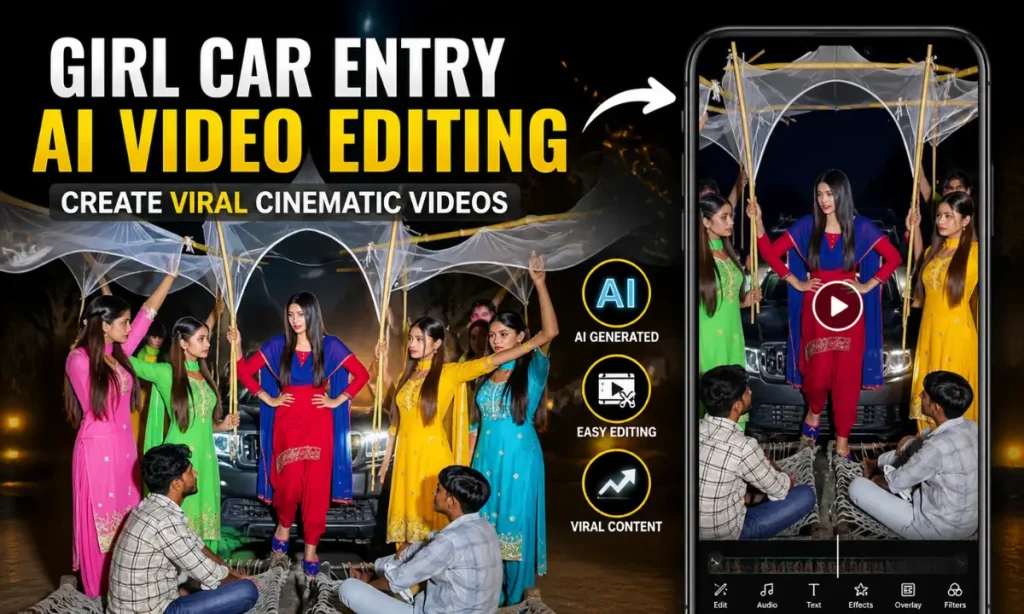
Girl Car Entry AI Video Editing
Girl Car Entry AI Video Editing is a creative technique where a simple image is turned into a cinematic video. AI tools animate the scene. A car arrives, lighting changes, and the subject enters the car smoothly. The result feels like a movie shot.
This style combines AI animation, visual effects, and mobile editing apps. The AI handles motion, camera angles, and realism. Then tools like CapCut help refine the final output. It blends creativity with automation, making high-quality video editing accessible to everyone.
Why This Trend is Going Viral?
This trend stands out because it looks premium but is easy to make. The combination of luxury cars, confident poses, and cinematic motion creates strong visual appeal. Viewers stop scrolling when they see such content.
Another reason is low competition. Not everyone understands how to write effective AI prompts. Those who do can create unique videos quickly. This gives creators a better chance to go viral and grow their audience.
Key reasons behind its popularity:
Tools Required for This Girl Car AI Videos
AI Video Generation Tools
To create the base video, you need an AI image-to-video generator. These tools turn your photo into a moving scene.
Popular options include:
- Google Gemini / Flow AI tools
- Image-to-video AI generators
- Other cinematic AI platforms
These tools use machine learning and computer vision to generate realistic motion. They simulate lighting, depth, and camera movement.
Video Editing Apps
After generating the AI clip, you need a video editor to polish it. This is where apps like CapCut come in.
Best editing apps:
- CapCut (most popular and beginner-friendly)
- VN Video Editor
- Other mobile editing apps
These apps help you add transitions, effects, and sound. They make your video look complete and professional.
Step-by-Step Guide to Create Girl Car Entry AI Videos
Step 1: Prepare Your Image
Choose a high-quality image. The subject should be clear and well-lit. A confident pose works best for this trend.
Make sure:
- Background is clean
- Lighting is balanced
- Image is not blurry
Step 2: Write or Copy AI Prompt
The prompt is the most important part. It tells the AI what to create. A detailed prompt gives better results. You can copy a detailed and ready to work prompt from VM Editor
Step 3: Generate AI Video
Upload your image into the AI tool. Paste your prompt and start generation. The AI will process the scene and create a short video.
This step may take a few minutes depending on the tool. The result will include motion, camera angles, and lighting effects.
Step 4: Download the Generated Clip
Once the video is ready, download it. Make sure to save it in high quality. This will help during editing.
Step 5: Edit Final Video in CapCut
Now import the AI clip into CapCut. This is where you refine the video.
You can:
- Add smooth transitions
- Apply filters and color grading
- Use shake or glow effects
- Sync with music
Best AI Prompt Example for Girl Car Entry Videos AI
A confident young woman standing on a modern city street, wearing stylish outfit and sunglasses, looking forward with attitude, a black luxury sports car approaching from behind, cinematic camera movement, soft golden hour lighting, realistic shadows and reflections, slow motion effect, car stops smoothly beside her, she opens the door and enters the car confidently, wind slightly moving her hair, ultra realistic details, depth of field, 4K quality, dramatic cinematic scene, smooth animation, natural motion, professional film look
Customization Ideas
You can make your video unique by changing different elements. Customization helps your content stand out.
Try these ideas:
Tips to Make Your Girl Car Entry Videos Go Viral
Conclusion
Girl Car Entry AI Video Editing is a powerful trend that combines creativity with technology. It allows anyone to create cinematic videos using simple tools. You do not need advanced editing skills or expensive software.
With the right image, a strong AI prompt, and basic editing in CapCut, you can create engaging content. This trend is still growing, which means there is a great opportunity to stand out. Try different ideas, stay creative, and you may create your next viral video.