What is VM Editor – Online Photo and Video Editing Tool | vmeditor.in
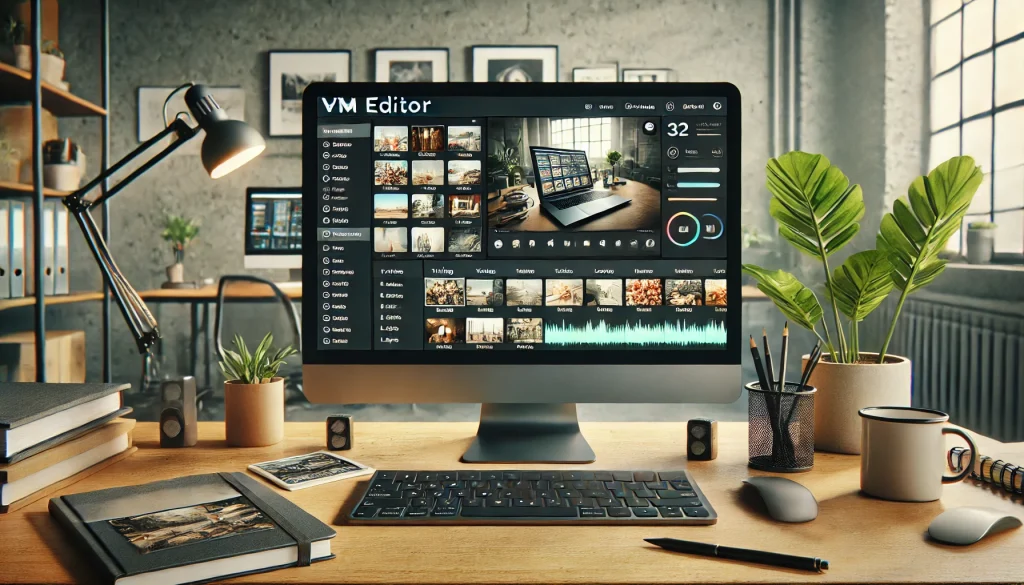
VM Editor is an online platform available at vmeditor.in that helps users edit photos, videos, and visual content using simple tools and ready-made editing options. It is built for people who want clean results without learning heavy software or complex steps.
In simple words, VM Editor allows users to edit content faster by using smart editing features and structured tools. Instead of starting from zero, users work with pre-designed layouts, effects, and controls that guide the editing process.
VM Editor is mainly used by creators, students, small business owners, and social media users who need quick edits. The platform focuses on ease of use, so even beginners can work without technical skills.
How Does VM Editor Work?
VM Editor works through a browser-based system, which means users can access it directly from vmeditor.in without installing large software. After opening the website, users select the type of editing task they want to perform.
Once a file is uploaded, VM Editor provides editing options such as trimming, adjusting visuals, adding effects, or refining content layout. The tools are placed clearly so users do not feel lost while editing.
Most actions follow a simple flow. Upload, edit, preview, and export. This process helps users complete tasks without confusion.
What Features Does VM Editor Offer?
VM Editor offers editing features that focus on speed and clarity. These features are designed to help users finish work with fewer steps.
Some common features include:
- Basic video editing tools
- Photo editing controls
- Ready-made editing structures
- Clean export options
- Browser-based access
These features help users avoid complicated timelines and crowded menus. Each tool serves a clear purpose.
Who Can Use VM Editor?
VM Editor is suitable for a wide range of users. It works well for beginners who want quick results and also for experienced users who want to save time.
Common users include:
- Content creators
- Students
- Freelancers
- Small business owners
- Social media managers
Since VM Editor does not require advanced skills, it is easy to learn and use.
Why Do Users Choose VM Editor?
Users choose VM Editor because it removes common editing problems. Many editing tools feel heavy or confusing, but VM Editor keeps things simple.
The platform focuses on:
- Easy access
- Clear tools
- Fast editing
- No complex setup
This makes VM Editor useful for users who want results without stress.
How Is VM Editor Different From Other Editing Tools?
VM Editor stands out by focusing on simplicity instead of overload. Many tools offer too many features that confuse users. VM Editor limits tools to what is useful.
Another difference is that VM Editor works online. Users do not need powerful devices or large storage. Everything runs through the website.
The layout is also cleaner, which helps users stay focused while editing.
Is VM Editor Beginner-Friendly?
Yes, VM Editor is designed to be beginner-friendly. The tools are labeled clearly, and the editing flow is easy to understand.
New users can start editing without watching long tutorials. The platform guides users naturally through each step.
This makes VM Editor a good choice for people editing for the first time.
How Can VM Editor Help Content Creators?
VM Editor helps content creators by reducing editing time. Creators can focus more on ideas and less on technical work.
It also helps maintain consistency across content. When users follow the same editing structure, their output looks more professional.
This is helpful for creators who post regularly.
Is VM Editor Suitable for Regular Use?
Yes, VM Editor can be used daily for content editing needs. Since it works online, users can access it anytime from different devices.
Regular users benefit from faster workflows and fewer errors. The simple interface supports repeated use without fatigue.
Final Overview of VM Editor
VM Editor is an online editing platform available at vmeditor.in that focuses on simple, fast, and clear editing. It supports users who want clean results without complex software.
It works well for beginners, creators, and professionals who value speed and ease. By keeping tools organized and accessible, VM Editor helps users complete editing tasks with confidence.