Best Flashlight Filter AI Photo Editing Prompts 2026
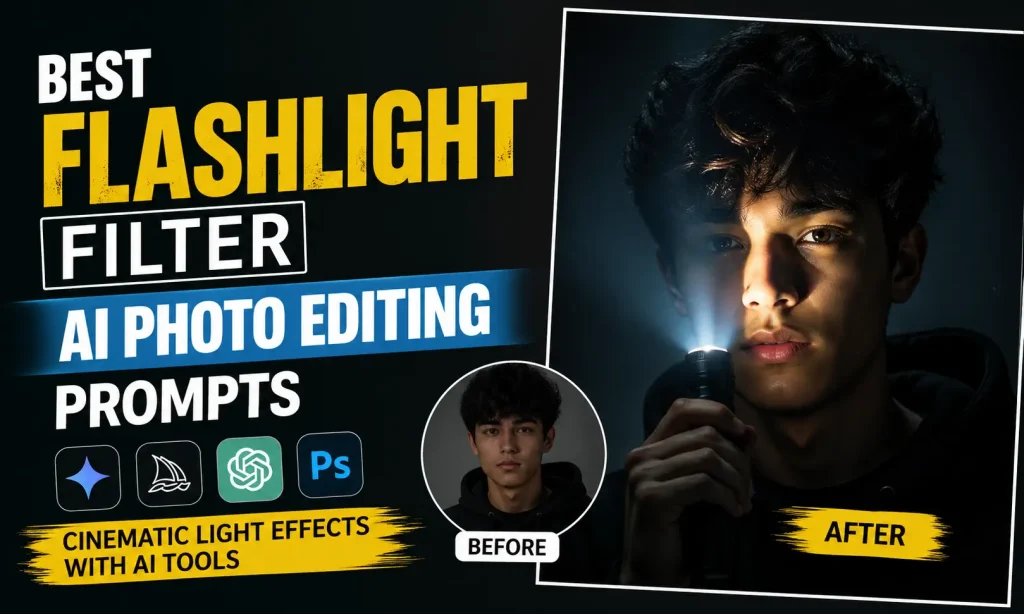
Flashlight filter AI photo editing is a modern creative technique used to generate cinematic, dramatic portraits where a single light source usually a flashlight or focused beam shapes the entire mood of the image. Instead of flat or evenly lit photos, this style focuses on strong contrast, deep shadows, and emotional lighting that feels like a movie scene.
This effect is widely used in AI tools like Google Gemini, MidJourney, and Photoshop AI because it turns simple portraits into visually powerful artwork with very little effort.
What is Flashlight Filter AI Photo Editing?
Flashlight filter AI editing refers to generating or modifying images so that the subject appears illuminated by a single directional light source. The rest of the scene is intentionally kept dark or partially hidden to create drama and focus.
In simple terms, it mimics how a real flashlight behaves in darkness:
This creates a storytelling effect rather than just a normal portrait.
Why Flashlight Lighting Looks So Cinematic
This style feels cinematic because it follows real film lighting principles used in photography and movies. Directors often use controlled lighting to guide attention and create emotional impact.
Flashlight AI portraits feel powerful because:
Even simple photos look like film stills when this lighting is applied correctly. You can also use Luxury Money Lifestyle AI Photo Editing Prompt.
How AI Creates Flashlight Effects
AI does not literally “add a flashlight.” Instead, it simulates how light behaves in real environments.
It analyzes your prompt and adjusts:
AI also adds subtle realism effects such as glow edges, soft light diffusion, and natural shadow blending, making the image look more photographic than artificial.
Best Flashlight Filter AI Photo Editing Prompts
Below are improved prompts you can directly use in AI tools.
A cinematic portrait of a person in a completely dark environment, illuminated by a single handheld flashlight. The light is focused on the face, creating deep shadows behind the subject and highlighting facial details with high contrast. The atmosphere is moody, emotional, and realistic.
A dramatic night portrait where the subject is lit from the side by a narrow flashlight beam. One side of the face is bright and detailed while the other fades into shadow. The background is dark and blurred, giving a strong cinematic depth effect.
A soft cinematic flashlight portrait with gentle lighting on the face and subtle glow around the subject. The lighting is smooth and natural, creating a dreamy atmosphere with a dark, aesthetic background.
Step-by-Step Process to Create Flashlight AI Images
Creating flashlight-style AI images is about controlling light direction and emotional tone rather than just adding effects.
Start by selecting your subject or base image. This can be a portrait photo or an AI-generated character. The clearer the subject, the better the lighting results will be.
Then define the lighting in your prompt. Instead of just saying “flashlight effect,” describe how the light behaves.
For example:
After generating the image, you can refine it by adjusting contrast and shadows. Many creators generate multiple versions to find the most cinematic output.
Common Mistakes
Many beginners struggle with realism because of small prompt or editing errors.
Some common issues include:
Avoiding these mistakes helps maintain a professional film-like appearance.
Best Practices for Better Results
To get high-quality flashlight AI portraits, clarity and balance are essential.
Keep your prompts specific and descriptive. Mention lighting direction clearly so the AI understands how to shape shadows.
Maintain balance between light and dark areas. Too much brightness reduces cinematic depth, while too much darkness hides important details.
You can also improve results by adding emotional and cinematic words such as:
These help the AI focus on storytelling rather than just image generation.
Where Flashlight Filter AI Images Are Used
This style is widely used across digital platforms because it instantly grabs attention.
It is commonly used for:
Content creators prefer it because it transforms simple portraits into eye-catching visuals with strong emotional impact.
Conclusion
Flashlight filter AI photo editing is more than just a visual trend. It is a creative approach that uses light as the main storytelling element. When used correctly, it turns ordinary images into cinematic artwork that feels emotional, dramatic, and professional. The key is not just using AI tools but understanding how light shapes mood and depth. With practice, small changes in your prompt can completely change the atmosphere of your image, giving you full control over cinematic storytelling through AI.