Ghost AI Photo Editing Prompt | Create Cinematic Ghost Photos with Google Gemini AI
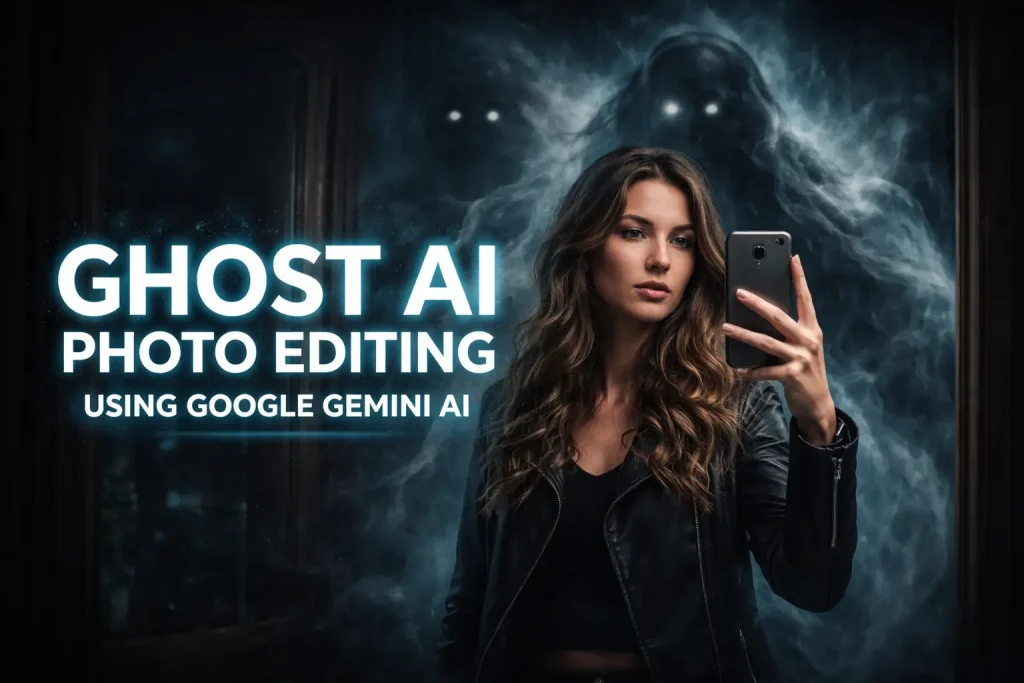
If you’ve ever wanted to turn your normal selfies or photos into stunning, eerie, cinematic visuals, the Ghost AI Photo Editing Prompt is your go-to tool. Using Google Gemini AI or other advanced AI editors, you can create ghostly figures, smoky spirits, and other supernatural effects all while keeping your face, outfit, and pose completely unchanged.
This technique has taken social media by storm, with viral posts on Instagram, TikTok, and Facebook.
In this guide, you’ll learn everything about ghost AI photo editing, how to use prompts effectively, and tips for creating eye-catching images that get noticed.
What is Ghost AI Photo Editing?
Ghost AI Photo Editing is the process of transforming an ordinary photo into a supernatural, cinematic scene using AI-powered prompts. Unlike basic filters or overlays, this method allows the AI to:
With Ghost AI, you’re no longer limited to manual Photoshop edits you can generate unique, spooky visuals with a simple text prompt.
How Ghost AI Prompts Work
The magic lies in the text prompt you provide. AI models like Google Gemini AI interpret your instructions and generate images that follow them precisely. A good prompt tells the AI:
- What to keep – Your face, pose, background, and outfit.
- What to add – Ghostly figures, smoke, shadows, lighting, or cinematic effects.
- Mood and style – Dark, moody, horror, cinematic, ultra-realistic, or 4K.
For example, a strong ghost AI prompt might say:
“Transform this selfie into a cinematic ghost scene. Keep the person exactly the same — same face, pose, clothing, and lighting. Add a shadowy, smoke-like ghost emerging from behind, glowing eyes, swirling smoke, realistic shadows and reflections. Dark, moody atmosphere, ultra-realistic 4K quality.”
This ensures the AI doesn’t alter your face while adding dramatic supernatural effects.
Step-by-Step Guide to Create Ghost Photos
Here’s how you can create viral ghost edits in minutes:
Step 1: Choose Your AI Tool
You can use Google Gemini AI, ChatGPT’s image editing feature, or any AI image editor that supports text-based prompts. Some tools also let you control resolution and style for better results.
Step 2: Upload Your Photo
Select a high-quality, front-facing photo. Photos with clear faces, good lighting, and visible details work best.
Step 3: Craft Your Ghost Prompt
Use a specific, detailed prompt like the example above. Include:
- What must stay unchanged (face, pose, outfit).
- What to add (ghost, smoke, shadows).
- Mood and lighting (e.g., cinematic, dark, 4K quality).
Step 4: Generate the Image
Click generate and let the AI work. Depending on the tool, it may take 2–3 minutes.
Step 5: Download and Share
Once you’re satisfied, save your ghost photo and share it on social media. You can also experiment with multiple prompts to achieve different ghost effects.
Tips for Creating the Best Ghost AI Images
To make sure your ghost images look professional and cinematic:
Popular Ghost Effects You Can Try
Experimenting with these variations will make your images more unique and shareable.
Why Ghost AI is Trending
Ghost AI edits are trending because they combine:
- Creativity and ease – You don’t need Photoshop or manual editing skills.
- Viral potential – Dramatic, spooky images stand out on social media.
- Identity preservation – Your face and pose stay intact while the background transforms.
- Realistic visuals – AI-generated shadows, smoke, and reflections add cinematic quality.
This combination makes Ghost AI photo editing highly appealing for content creators, social media enthusiasts, and digital artists.
Risks and Limitations
AI Safety Controls: Some AI editors may refuse to process certain images for privacy or safety reasons.
Prompt Interpretation: Different tools interpret prompts differently. You may need trial and error to get the perfect effect.
Over-Editing: Too many ghost effects can make the image look unrealistic — balance is key.
Conclusion
The Ghost AI Photo Editing Prompt is your shortcut to stunning, viral photos. By using Google Gemini AI and following a detailed prompt strategy, you can add cinematic ghost effects while preserving your identity. Start experimenting today — your social media posts will stand out, and your followers will be amazed at your eerie, professional-looking edits.