Underwater Bike AI Video Editing Prompt 2026
Underwater bike AI video editing is one of the newest creative trends in short-form video content. Creators are turning simple bike photos or clips into stunning underwater scenes using artificial intelligence tools. The result looks cinematic and surprising. A normal bike appears to sink slowly into deep blue water while bubbles float around it and sunlight passes through the surface.
This visual style is going viral across platforms like TikTok, Instagram Reels, and YouTube Shorts. The reason is simple. AI now makes complex video effects easy to create. You do not need expensive cameras or real underwater filming. With the right prompt and editing steps, anyone can create a Treding Underwater Bike AI video in just a few minutes.
What Is Underwater Bike AI Video Editing?
Underwater bike AI video editing is a creative editing method where artificial intelligence turns a normal bike image into a realistic underwater video scene. The AI adds elements such as water lighting, floating particles, and slow underwater movement to make the scene look natural.
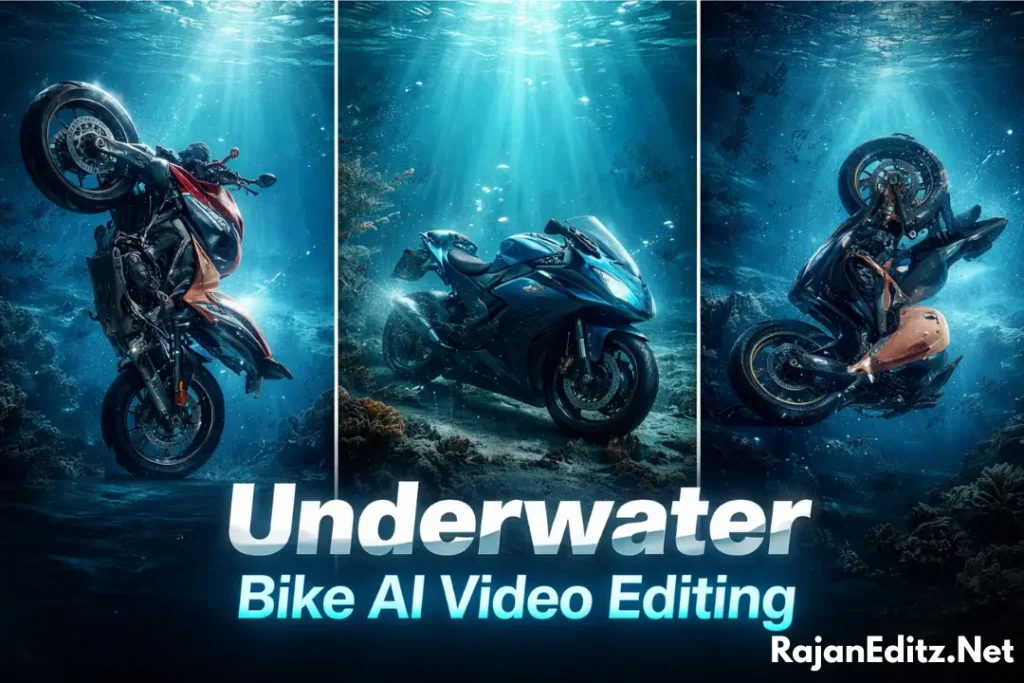
This editing style uses image-to-video AI technology. First, a normal bike photo is converted into an underwater image. Then the AI animates the scene and creates motion. The bike appears to sink or float gently underwater while the environment reacts naturally.
AI tools usually generate the following effects:
Most creators export the final video in vertical 9:16 format. This format works perfectly for short-form video platforms and helps the content gain more views.
Why Underwater Bike AI Videos Are Trending
Unique and Surprising Visuals
One reason this trend is popular is its unusual visual concept. People are used to seeing bikes on roads or in cities. When viewers suddenly see a bike underwater, it creates curiosity. This unexpected scene grabs attention in the first few seconds of the video.
The underwater lighting and slow motion also make the video feel cinematic. Even a simple bike photo can look like a scene from a movie when AI adds realistic water effects.
Perfect for Short-Form Platforms
Short video platforms prefer visually engaging content. Videos that catch attention quickly often perform better. Underwater bike AI edits work well because they are visually striking and easy to watch.
Many creators share these edits on:
- TikTok
- Instagram Reels
- YouTube Shorts
These platforms favor short cinematic videos that loop smoothly and keep viewers watching.
AI Makes Complex Editing Easy
In the past, creating underwater effects required advanced editing software and professional skills. Now AI tools automate most of the work. You only need a clear image and a simple prompt.
The AI analyzes the image and generates water physics, lighting, and motion automatically. This makes Underwater bike ai video editing accessible even for beginners.
Cinematic Look With Minimal Effort
AI algorithms simulate realistic underwater behavior. Light rays bend through water. Tiny particles move slowly in the background. Bubbles rise naturally toward the surface.
All these small details help create a cinematic look without spending hours on manual editing.
Tools Used for Underwater Bike AI Video Editing
Different AI tools help creators produce this effect. Each tool plays a specific role in the editing process.
Gemini AI
Google Gemini is often used to generate AI images and video concepts. Creators use it to create underwater scenes or generate prompts for AI video tools.
It can help design the base underwater environment before animation begins.
CapCut
CapCut is one of the most popular apps for short video editing. Many creators use it to finalize their underwater bike videos. CapCut helps with:
- Adding music
- Adjusting color tone
- Applying transitions
- Exporting videos in HD format
Flow AI / AI Video Generator Tools
AI video generators convert still images into animated clips. These tools simulate underwater motion and generate realistic movement.
They animate elements like floating particles, slow camera movement, and bubble effects.
Other AI Tools
Some creators also use additional AI video platforms for advanced animation. Common tools include:
- Runway ML
- Pika Labs
- OpenArt AI
These tools support AI image-to-video generation, which is essential for this editing style.
Requirements Before Creating the Video
Before starting underwater bike AI editing, it helps to prepare a few things. Good preparation improves the final result. Important requirements include:
A high-resolution image helps the AI generate better lighting and underwater textures. Low-quality images may produce blurry or unrealistic results. Check ai prompts for Bahubali Ai Video Editing
Underwater Bike AI Video Editing Prompt
Image Generation Prompt
Prompt:
A realistic sports bike resting underwater on the ocean floor, deep blue water environment, sunlight rays passing through the water surface, small air bubbles floating upward, soft underwater lighting, floating particles in water, cinematic atmosphere, ultra-realistic details, high resolution, underwater photography style, dramatic lighting, 4K quality.
Video Animation Prompt
Prompt:
A cinematic underwater scene where a realistic sports bike slowly sinks deeper into the ocean, gentle underwater motion, air bubbles rising toward the surface, floating dust particles in water, soft sunlight rays moving through the water, slow camera movement, realistic underwater physics, dramatic cinematic lighting, ultra-realistic animation, smooth motion, 4K cinematic video.
How to Create an Underwater Bike AI Video (Step-by-Step)
Also create: Police Hand Shake AI Videos
Best Ideas for Underwater Bike AI Videos
If you want your video to stand out, try creative scene ideas. Small variations can make your video more interesting. Popular underwater bike concepts include:
Tips to Make Your AI Video Go Viral
Conclusion
Underwater bike AI video editing shows how powerful modern AI tools have become. What once required advanced editing skills can now be done in minutes using simple prompts and AI generators.
This trend continues to grow because it combines creativity, technology, and visual storytelling. A normal bike photo can transform into a cinematic underwater scene filled with bubbles, light rays, and smooth motion.
With the right tools, prompts, and editing steps, anyone can create this viral style of content. Whether you want to experiment with AI creativity or share Underwater bike ai video editing download resources, this trend offers endless possibilities for short video creators.