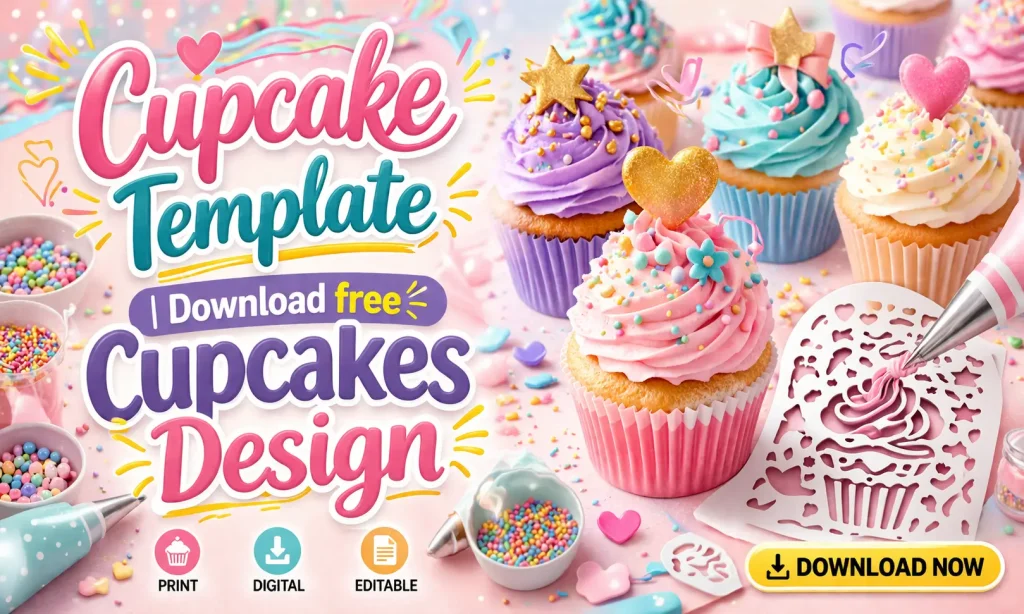
Cupcake Template | Download free Cupcakes Design 2026
Cupcakes aren’t just treats they are tiny pieces of art. From birthdays and weddings to holidays and casual celebrations, cupcakes can make any event more memorable. Using a cupcake template ensures your cupcakes look professional, creative, and uniform, whether you are baking, decorating, or creating digital designs. Templates save time, inspire creativity, and provide structure, making them invaluable for both beginners and experienced bakers.
What is a Cupcake Template?
This is a guide that helps you to shape, decorate, or design cupcakes. Templates can be physical, such as stencils and molds, or digital, such as editable graphics for social media, invitations, and printables.
Physical templates allow bakers to create uniform cupcakes and decorate them consistently. They can include:
- Silicone molds for shaping cupcakes
- Paper or plastic stencils for frosting, powdered sugar, or chocolate designs
- Edible toppers that fit precisely onto cupcakes
Digital templates, on the other hand, are used for creative projects online. They can include layouts for:
- Instagram posts showcasing cupcakes
- Printable invitations and party cards
- Birthday, holiday, or themed party graphics
Using templates ensures cupcakes and designs are visually consistent, professional, and easy to replicate.
Types of Cupcake Templates
Cupcake templates vary depending on the purpose and type of project:
- Baking Templates: Guides for shaping cupcakes evenly in a tray or mold.
- Decorating Stencils: Reusable plastic or acetate stencils for frosting patterns, sprinkles, or powdered sugar designs.
- Digital Templates: Editable layouts for social media, invitations, or printable materials.
- Themed Templates: Templates designed for specific occasions, such as birthdays, holidays, or seasonal parties. Themes can include unicorns, rainbows, floral designs, or cartoon characters.
Each type of template helps achieve a professional and visually cohesive result, whether your goal is baking perfection or digital design creativity. Also check: Vision Board Template
How to Use this Templates
Using this template depends on the type of template and your project:
Baking: Start by selecting a template that matches your cupcake tray or mold. Follow the guide to shape the cupcakes evenly, ensuring consistent size and appearance.
Decorating: Place the stencil over the cupcake and carefully apply frosting, sprinkles, or powdered sugar. Remove the stencil gently to reveal a clean design. You can layer stencils for more complex patterns.
Digital Design: Open the digital template in software like Canva, Photoshop, or Illustrator. Customize colors, fonts, images, and icons to create invitations, Instagram posts, or printable party materials.
Example: For a birthday party, use a unicorn-themed stencil on cupcakes, then use a matching digital template for invitations. This creates a cohesive theme that is visually pleasing both offline and online.
Creative Using Ideas for this template
Cupcake templates allow you to experiment with endless creative possibilities:
- Birthday Cupcakes: Spell out names or ages with edible letters or frosting designs.
- Holiday-Themed Cupcakes: Snowflakes for Christmas, pumpkins for Halloween, or hearts for Valentine’s Day.
- Themed Party Cupcakes: Unicorns, rainbows, dinosaurs, or cartoon characters.
- Photo Cupcakes: Use frosting sheets to print edible images of people, pets, or designs.
- Digital Cupcake Mockups: Showcase cupcakes online for social media, marketing, or invitations.
Templates can also help you combine multiple designs. For instance, you can create cupcakes with uniform shapes and top them with different colored frosting and toppers to match a rainbow party theme.
Tips for Decorating
- Choose the right size for your mold or tray.
- Keep stencils clean to avoid smudging frosting patterns.
- Use contrasting colors for frosting and toppers to make designs pop.
- Layer frosting, sprinkles, and edible toppers for a 3D effect.
- Test your design on one cupcake before decorating an entire batch.
- For digital templates, use high-resolution files for clear, sharp prints or social media posts.
By following these tips, even beginners can create cupcakes that look like they came from a professional bakery.
Common Mistakes
Even with templates, mistakes can happen. Avoid these common errors:
- Using a stencil or mold that doesn’t fit your cupcake size.
- Overcrowding the design with too many decorations, making it messy.
- Choosing low-resolution digital templates that blur when printed or posted online.
- Ignoring color and theme consistency, which can make cupcakes look disorganized.
Planning and testing a small batch first helps prevent these mistakes and ensures consistent results.
Using Digital Cupcake Templates
Digital templates are ideal for modern celebrations and content creation. With a digital cupcake template, you can:
- Create Instagram posts or stories featuring your cupcakes.
- Design printable invitations, thank-you cards, or party signage.
- Coordinate digital designs with physical cupcakes to create a professional and cohesive theme.
- Customize templates with fonts, colors, and graphics that match your event or party theme.
Digital templates save time, enhance creativity, and help you present cupcakes beautifully in the digital world.
Benefits of Using Cupcake Templates
Using cupcake templates provides multiple benefits:
- Save time and effort when decorating multiple cupcakes.
- Achieve uniform shapes, sizes, and designs easily.
- Create professional-quality results, even as a beginner.
- Ensure cohesive themes for parties, holidays, or social media posts.
- Combine physical and digital templates to coordinate decorations, invitations, and online content.
Where to Find Cupcake Templates
You can find cupcake templates from a variety of sources:
- Baking & Craft Stores: Physical molds, stencils, and toppers.
- Digital Platforms: Canva, Creative Market, Etsy, Pinterest for downloadable templates.
- DIY Options: Make your own templates using cardboard, acetate sheets, or graphic software.
- Template Bundles: Themed sets for birthdays, holidays, or events, often with multiple designs included.
How to Customize Cupcake Templates
Customizing templates lets you create unique cupcakes or digital designs:
- Change frosting colors to match your event theme.
- Add edible toppers like sprinkles, candies, or chocolate shapes.
- Layer decorations for more depth and visual interest.
- For digital templates, adjust fonts, colors, icons, and backgrounds to match your party style.
Customization ensures your cupcakes or designs stand out and match your vision perfectly.
Perfect Occasions for Cupcake Templates
Cupcake templates can be used for almost any occasion:
- Birthdays and milestone celebrations
- Weddings and bridal showers
- Baby showers and gender reveals
- Holidays like Christmas, Halloween, Easter, and Valentine’s Day
- School or community events
- Social media content for bakeries or DIY creators
Templates help maintain consistency and creativity across all types of celebrations.
Conclusion
A cupcake template is a versatile tool for baking, decorating, and digital design. Templates save time, provide guidance, and inspire creativity. By following best practices, avoiding common mistakes, and customizing templates to match your theme, you can create beautiful cupcakes and digital designs that delight both the eyes and taste buds. Whether for birthdays, weddings, holidays, or casual celebrations, cupcake templates are the key to consistent, professional, and visually appealing results.