Google Gemini Notebook Drawing AI Photo Editing Prompts: Create Viral Notebook Sketch Photos Free
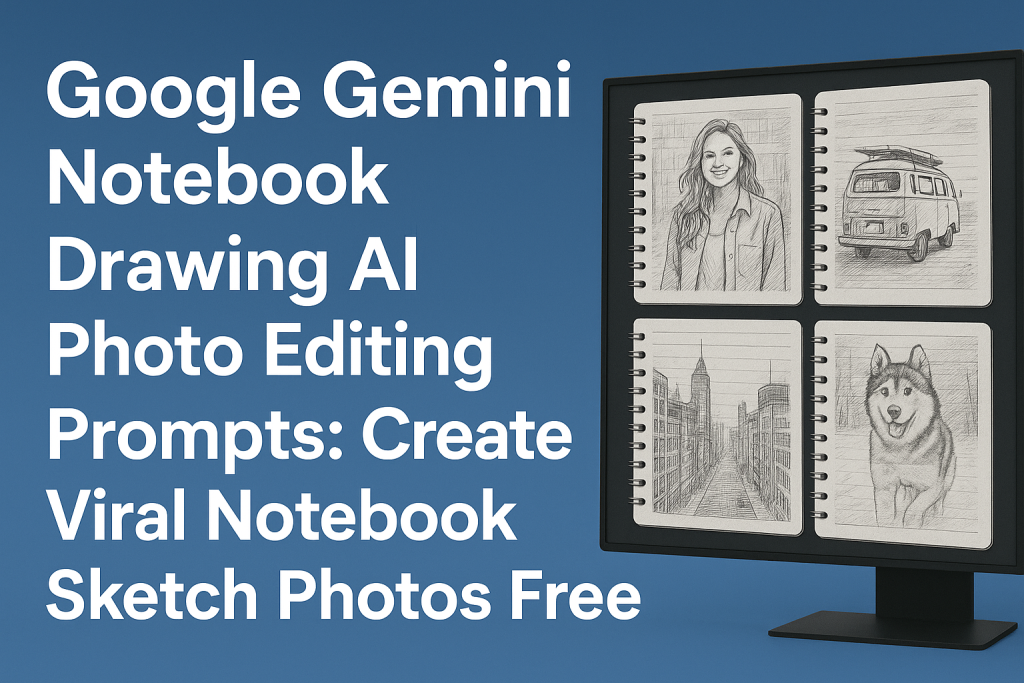
Notebook-style drawing photos are trending fast on Instagram and other platforms. Many people think these drawings are made by hand, but the truth is that they are created with tools like Google Gemini. With the right prompts, you can turn your normal selfie into a sketch that looks like it was drawn on notebook paper.
Many users love this style because the face still looks real, but the whole picture turns into a cute crayon drawing. You don’t need drawing skills. You only upload your selfie, paste a prompt, and Gemini creates a realistic notebook drawing for free.
Why Are Google Gemini Notebook Drawing Photos Going Viral?
People enjoy notebook drawing edits because they look handmade. The crayon strokes, lined paper, doodles, and “childlike” details make the photo feel fun and natural. When you share these drawings on Instagram stories, Facebook stories, TikTok, or WhatsApp, people often think you actually drew it yourself.
These notebook-style edits also match popular aesthetic trends, so they get more likes, comments, and shares. Many users post them with friends, family, or even pets.
Google Gemini Notebook Drawing AI Prompts (Copy & Use)
Below are high-quality notebook drawing prompts that produce sketch-style photos, similar to what you see trending online.
Prompt 1 (Crayon Sketch on Lined Paper)
Copy:
Transform the uploaded photo into a crayon-style notebook drawing. Keep the same face shape, skin tone, hairstyle, expression, and clothing, but redraw everything with uneven crayon strokes and bold outlines. Add simple green mountains, a yellow sun, an “M”-shaped bird, and small colorful houses in the background. Draw everything on blue lined paper with a red margin line. Make the drawing playful and slightly imperfect in a 4:5 vertical layout.
Prompt 2 (Fun School Notebook Drawing)
Copy:
Create a notebook-style crayon drawing of the person, keeping the original face, hair, and outfit. Use strong crayon outlines and rough strokes. Add doodles like a sun, clouds, trees, and small colored houses behind the person. Place everything on lined paper with a red margin. Make it look like a cute school notebook drawing in a 4:5 aspect ratio.
Prompt 3 (Simple Childlike Crayon Look)
Copy:
Turn the selfie into a colorful crayon drawing on lined notebook paper. Keep the person’s face, hairstyle, skin tone, expression, and clothes the same. Use rough crayon strokes and bright colors. Add mountains, a sun, an “M”-bird, and simple scribbled houses. Use blue lines with a red border and make the drawing soft, childlike, and fun in 4:5.
Prompt 4 (Cartoon Crayon Sketch)
Copy:
Convert the uploaded photo into a cartoon-style crayon drawing on ruled paper. Keep all facial features and clothing but redraw them with textured crayon shading. Add cute doodles like hills, sun, birds, and small colorful houses. Add scribbles to give a hand-drawn feel. Use a notebook-style 4:5 vertical format.
Prompt 5 (Stylish Sketch with Accessories)
Copy:
Create a notebook drawing of the same person with a perfect face match. Keep the original face, hair, and expression. Give the hair subtle highlights. Draw the person holding a big stuffed panda while wearing a dark knitted sweater. Use crayon outlines and lined notebook paper for a clean 4:5 crayon sketch.
How To Create a Notebook Drawing Photo Using Google Gemini
Follow these steps to create your drawing-style photo:
- Click on Create Image inside Google Gemini.
- Upload a clear selfie with good lighting.
- Copy one of the prompts listed above.
- Paste the prompt in the text box.
- Generate the image.
- Save the sketch version you like.
If the first version looks soft or blurry, repeat the prompt or ask for darker outlines.
Tips for Best Results with Notebook Drawing Prompts
Here are simple ways to get cleaner notebook-style edits:
- Use a bright selfie where your face is clear.
- Avoid messy or dark backgrounds.
- Keep your hair visible.
- Look directly at the camera for better outline detection.
- Use short, clear prompts.
These small tricks help Gemini understand your face better and produce sharper crayon strokes.
Where Can You Post Your Notebook Drawing Edits?
You can share these edits on:
- Instagram photos and reels
- WhatsApp stories
- TikTok covers
- Facebook stories
- Pinterest boards
- YouTube community posts
- Profile photos
Notebook drawings stand out, so chances of going viral are higher.
Pros and Cons of Google Gemini Notebook Drawing Prompts
Pros
- Free
- Accurate face match
- Easy to use
- Fast results
- Cute crayon style
- Works on any selfie
- Good for social posts
- Good color output
- Clear outlines
Cons
- Lines can be soft
- Backgrounds may vary
- Fine details limited
Final Words
Google Gemini notebook drawing prompts help you create crayon-style photo edits that look handmade and fun. These notebook drawings are trending everywhere because they match popular aesthetic styles and get strong engagement.
With the prompts above, you can turn your normal selfie into a notebook sketch in seconds—and post it anywhere for a creative, viral look.