Police Hand Shake AI Video Editing Prompt Free 2026
Today, you no longer need complex editing skills or professional software to produce engaging clips because AI has change the trends on social media. With modern AI tools, a simple photo can be turned into a short cinematic scene where characters interact naturally. One popular trend is the police hand shake ai videos, where an officer approaches someone and greets them with a handshake.
This hand shake trend is widely used in short-form platforms like Instagram Reels, TikTok, and YouTube Shorts. Creators use simple prompts and image-to-video tools to generate realistic scenes within seconds. These Police Hand Shake AI Videos often include cinematic lighting, moving characters, and dramatic camera angles. Because the process is simple, even beginners can create viral-style content using only a prompt and a clear image.
What is Police Hand Shake AI Video Editing?
Police hand shake AI video editing refers to creating a short animated scene where a police officer walks toward a person and shakes hands. The process usually starts with a photo. AI then adds motion, character interaction, and background effects to turn the still image into a short video.
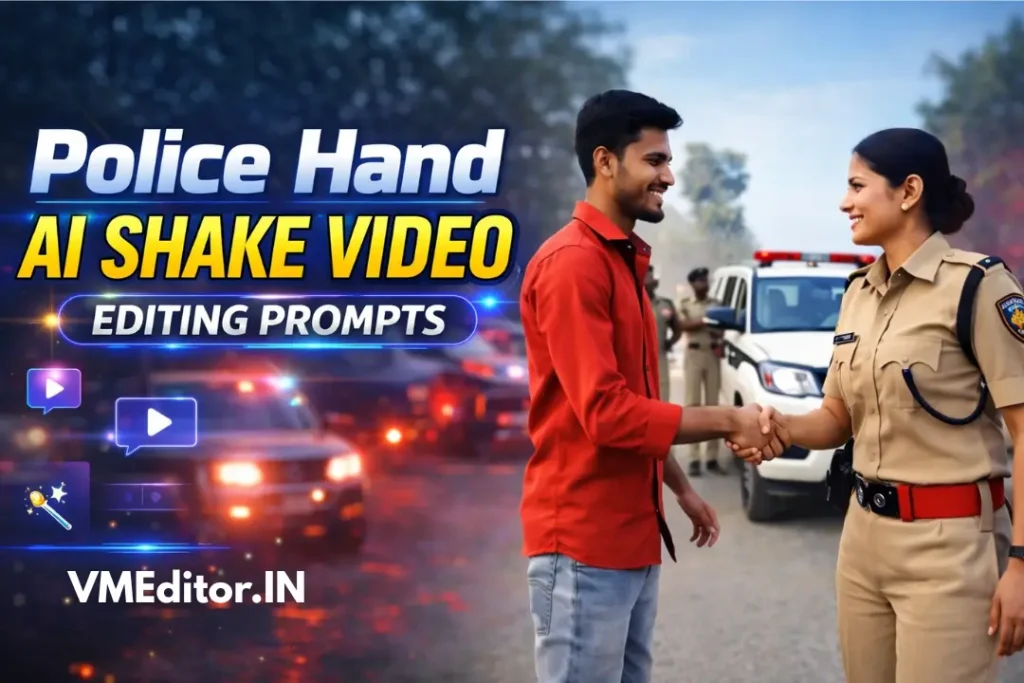
These animations are created using advanced technologies such as AI motion generation, image-to-video models, and computer vision. The AI analyzes the faces and body positions in the image and then generates natural movements. As a result, the characters appear to walk, greet each other, and perform a handshake in a realistic way.
Creators often use these effects to make cinematic or storytelling content. Many short clips show a respectful meeting scene, a greeting moment, or a dramatic arrival of police vehicles in the background. These Police Hand Shake videos are usually only a few seconds long, but they can look highly realistic when the prompt and image are clear.
Some common features of this type of AI video include:
Police Hand Shake AI Video Editing Prompt [100% Free]
A prompt is the instruction you give to the AI tool. It tells the system what type of scene to generate. A well-written prompt can make a big difference in the final video result.
Below is a simple example prompt that can create a cinematic handshake scene.
Transform the reference image into a cinematic scene.
A police officer walks toward the person and shakes hands warmly.
Police vehicles arrive in the background with flashing lights.
Officers stand around the scene while the main officer greets the person.
Ultra realistic, dramatic lighting, cinematic camera angle,
4K quality, shallow depth of field, motion blur.
When writing prompts, it helps to include clear details about the environment, movement, and camera style. AI models respond better when the instructions describe the scene step by step. Also use Modi ji Car Hand Shake Ai Videos Prompt
For example, you can add details such as slow motion movement, realistic lighting, or a dramatic atmosphere. These small additions guide the AI and help it create a more cinematic video. You can also adjust the prompt depending on the mood you want to show, such as a friendly greeting or a formal police meeting scene.
How to Create Police Hand Shake AI Videos (Step-by-Step)
Creating a police hand shake ai video with AI Tools is simple. Most tools follow a similar process. You upload an image, add a prompt, and generate the animation.
Choose an AI Video Tool
Start by selecting a platform that supports image-to-video generation. Many modern AI tools allow users to animate photos and generate character movements automatically.
Typical Tools Includes:
- Pika Labs AI
- Kaiber AI
- DeepBrain AI
Some creators prefer tools that specialize in cinematic scenes. These platforms often provide better camera movement and lighting effects. An AI Police Videos Generator can help automate the entire process and produce a short animated clip quickly.
Upload Your Photo
After selecting a tool, upload a clear photo. The AI will use this image as the base for the animation.
A good image can improve the final result. Try to use a photo where the faces and body positions are easy to detect.
Paste the Prompt
Next, copy the handshake prompt from our website and paste it into the prompt field of the AI tool. This is where you describe the action you want to see in the video.
You can adjust the prompt slightly if needed. For example, you might want a slow motion handshake or dramatic lighting. Some creators also include camera instructions such as close-up shots or cinematic angles.
A clear and descriptive prompt helps the AI understand the scene better. This usually results in a more realistic animation.
Generate the Video
Once the prompt is ready, click the generate button. The AI system will process the image and create the animated scene.
Most tools take between 30 seconds and one minute to produce the final video. During this time, the AI analyzes the photo, adds motion, and renders the cinematic effects.
After processing, the preview video will appear on your screen. You can watch the animation and decide whether you want to regenerate or download it.
Download the Video
If you are happy with the result, download the police hand shake ai video to your device. Most tools allow exporting in HD or 4K resolution.
You can then upload the clip to social media platforms. Many creators post these short videos on Instagram Reels, TikTok, or YouTube Shorts because the content fits perfectly with short-form formats.
You can also add music, captions, or filters using a mobile editing app before posting the final video.
Best Tips for Realistic AI Handshake Videos
Here are some tips that you should keep in mind while generating Police Hand Shake AI Videos using different AI Tools.
Best AI Tools for Police Hand Shake AI Video Editing
Many AI platforms now allow creators to turn still photos into short animated videos. These tools use advanced AI models to generate realistic motion, including handshakes and cinematic camera effects. With just a clear image and a descriptive prompt, you can produce a professional-looking video in minutes. The simplicity of these tools makes them popular among social media creators, especially for Instagram Reels, TikTok, and YouTube Shorts.
AI video tools continue to improve, offering faster rendering, higher resolution, and better motion realism. Some platforms even specialize in specific scenes like police greetings or cinematic handshake moments. Choosing the right tool can save time and produce the most realistic animations for your content.
Popular AI tools for creating police hand shake ai videos include:
These platforms make it easy to generate Police Hand Shake Ai videos or other short AI animations with minimal effort.
Conclusion
AI technology has made video creation faster and easier than ever before. With the help of image-to-video models, anyone can turn a simple photo into a cinematic animation. Police handshake scenes are a great example of how AI can create engaging content without complex editing.
By using a clear prompt, a good quality image, and the right AI tool, you can generate a realistic police hand shake ai video in minutes. As AI tools continue to improve, creators will have even more possibilities for producing unique and creative short videos.