Krea AI: Best AI Tool for High-Quality Image, Video, and 3D Content Creation in 2025
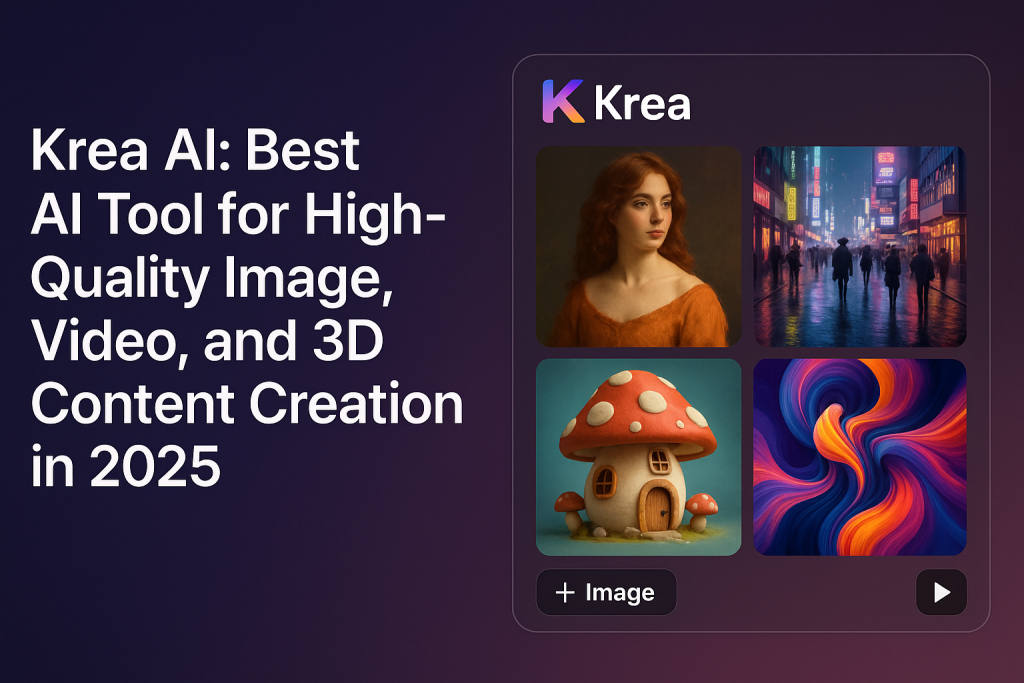
Krea AI is a creative tool that lets people generate images, videos, and 3D visuals using simple text prompts. Instead of needing design skills or heavy software, users just type what they want to see, and Krea AI creates it. The app is known for its speed and high-quality visuals, which makes it useful for both beginners and professionals. Many call it a shortcut for turning imagination into visuals.
In the AI app world, Krea AI stands out because it works as a full creative suite. It doesn’t just create one type of content. It handles text-to-image, text-to-video, and even 3D object generation. All of this happens in a single platform, without needing extra plugins or tools.
To make this possible, Krea AI uses models like Krea 1, Veo 3.1, and Flux. These models are trained on millions of samples and understand how to match text prompts to visual patterns. When someone enters a phrase like “sunset over mountains,” the system identifies what a sunset looks like and how mountains usually appear, then builds a new image that fits. The process takes just a few seconds in most cases.
Krea AI is popular for visual creation because of its quality. It can generate images in 4K and upscale up to 22K resolution. This helps creators who need large, clear visuals for print, digital ads, or social media. For video creators, Krea AI supports smooth animations from still images and short prompt-driven clips. The 3D tools turn 2D sketches or photos into simple objects with depth.
Must Check: VM Editor
Another reason people use it is that it saves time. Instead of hiring designers or spending hours in editing software, users can click once and get results. This opens doors for small business owners, social media creators, and students who want polished visuals without a big budget.
In short, Krea AI is like a fast worker behind the scenes. You tell it what you want, it reads the words, and quickly builds something that looks real. It mixes AI speed with creative design, which is why it’s becoming more common in creative workflows.
What generative capabilities does Krea AI offer?
Krea AI allows users to turn text into images, videos, and 3D objects. The “text-to-image” tool works by reading words and building visuals based on those descriptions. For example, if you type “a futuristic city at night,” the system will generate a high-resolution image that looks like what you described. It’s useful for quick concept creation, marketing graphics, or digital artwork.
Krea AI also supports “text-to-video,” which means you can enter a short prompt and the tool will create a video scene based on it. The results are short clips, often around a few seconds long, and they include movement, lighting, and texture. For 3D object creation, Krea AI can build basic shapes and forms based on input text or images. These 3D outputs are lightweight and suitable for games, animation, and visual effects.
The system uses its own model, Krea 1, along with models like Veo 3.1 and Flux. These models are trained to handle different types of tasks. Krea 1 is optimized for speed and image accuracy. Veo 3.1 is good for video generation, and Flux is tuned for creative flexibility. Together, they make the platform stable and fast for generating visual content.
One big draw of Krea AI is its image quality. The platform supports 4K native image generation and can upscale content up to 22K resolution. That means the final product isn’t just fast—it’s also sharp and ready for professional use. This helps with commercial printing, billboard design, or any place where high detail is needed.
But there are concerns about the rise of these generative tools. Some people say that using templates or pre-trained models leads to content that looks too similar. Others worry about copyright—if Krea AI learns from public artwork or media, who owns the result? These are big questions in the creative space, especially when artists see similar work being generated by machines.
What enhancement and editing tools does Krea AI provide?
Krea AI isn’t just for generating visuals—it also includes tools to edit and improve them. One of the most used tools is the Enhancer, which lets you upload a low-resolution image and upscale it using AI. This helps restore blurry photos or improve the quality of old visuals without needing a graphic designer.
There’s also support for motion interpolation and slow-motion effects in videos. These tools help make short videos smoother and more cinematic by filling in missing frames or slowing down fast movements without choppiness. It’s helpful for creators who want dramatic clips or transitions.
For users working with 3D, Krea AI can convert images into 3D meshes. This feature is used in product design and animation where you need some depth or rotation from a flat picture. The platform creates basic 3D outlines that you can then move or edit further in other tools.
Krea also offers LoRA-based fine-tuning. This lets users upload a few pictures of the same person, object, or style, and train a custom model inside Krea. Once trained, the system remembers the look and can reuse it in other designs. This is useful for brands or artists who want to keep a consistent style across different media.
However, there are some concerns from traditional editors. Some believe that AI-assisted editing tools remove the need for hands-on design work. Others worry that relying on the same presets or templates might lead to repetitive designs that all look alike. While the tools help save time, some creatives feel it could water down uniqueness.
How does Krea AI structure its business and enterprise model?
Krea AI works on a freemium model, which means users can start for free and then choose to upgrade for more tools and higher limits. In the free version, you can run a few image generations daily, but you won’t get full access to high-resolution features or advanced models. It’s mainly meant for testing the platform or learning the basics. The paid plans unlock more power and allow you to generate more content each day.
There are three main paid tiers: Basic, Pro, and Enterprise. The Basic plan costs around $10 per month and offers higher resolution exports, more daily generations, and access to templates. The Pro plan, at about $35 monthly, gives full access to all tools, real-time rendering, 4K+ resolution, and priority use of models like Veo and Flux. For large companies, the Enterprise plan includes custom integrations, team collaboration tools, volume generation discounts, and priority support.
Big companies like Samsung, Nike, and Shopify use Krea AI because it helps their teams produce quick, branded visuals without relying fully on traditional design pipelines. They can build ad mockups, product visuals, and campaign videos faster by using AI instead of designing every piece from scratch. Krea’s cloud system also helps large teams manage and share projects across departments.
To make collaboration easier, Krea includes enterprise workflow features. These include asset libraries, shared templates, model fine-tuning for consistent brand style, and user role management. Each team member can log in, generate or edit content, and contribute to shared folders—all within the same dashboard.
Still, there are some issues companies think about before adopting it fully. Cost is one, especially when generating high volumes of content that require heavy computing power. Krea charges based on “compute units,” so the more you create, the more resources you use. There are also licensing questions. If the AI was trained on public images or designs, who really owns the output? Some users feel unsure about using AI-generated assets for commercial use without clear legal clarity.
What real data shows how Krea AI performs?
Krea AI claims it can upscale images up to 22K resolution, which means the final visuals can be used on giant banners, large-format printing, or digital screens with crystal clarity. Most tools don’t go past 4K, so this feature places Krea ahead for creators who need very large or sharp images.
The platform divides its tools into six main categories: image generation, video generation, real-time editing, training custom models, 3D utilities, and partner model access. These categories show that Krea is not just an image tool. It’s more of a complete visual content solution that helps creators work with different formats and purposes.
In terms of resources, Krea mentions having over 20 different models and more than 1,000 visual styles available. These include artistic filters, photo-realistic settings, animated outputs, and cinematic color tones. This range helps users create with variety while staying within the same tool.
Reviews from tech websites and creators say Krea AI is easy to use even for beginners. Its drag-and-drop interface, fast rendering, and web-based dashboard make it smooth to operate without needing a strong computer. The AI understands prompts well, and the quality of output is high for most casual and professional uses.
Still, some reviewers note that not all models are equally good. A few produce better facial details, while others struggle with hands or background blur. But overall, Krea’s performance is considered strong, especially when compared to similar platforms that cost more or require local installations.
FAQs
What is Krea AI used for?
Krea AI is used to create high-quality visuals like images, videos, and even 3D models with the help of artificial intelligence. It’s popular among designers, content creators, and businesses who want fast, customizable visual assets without needing complex software skills.
Is Krea AI free to use?
Yes, Krea AI offers a free plan with basic features and limited daily usage. For more advanced tools, like high-resolution upscaling or longer video generation, users can choose from paid plans like Basic, Pro, or Enterprise tiers.
Can I use Krea AI for commercial projects?
Users can use Krea AI for commercial content, but licensing terms may vary depending on the output and model used. It’s always a good idea to check the platform’s licensing guidelines, especially for enterprise use or content that will be sold.
What formats does Krea AI support?
Krea AI supports popular formats like PNG, JPG, and MP4 for downloads. When creating 3D objects, it may offer formats compatible with modeling tools, but the focus is mainly on standard formats used in digital content.
Do I need any design skills to use Krea AI?
No design skills are required to get started. Most features are beginner-friendly with clear prompts and one-click actions. However, users who understand visual composition or storytelling may create better outputs with customized inputs.
How does Krea AI compare to other AI image generators?
Krea AI stands out for offering high-resolution outputs (up to 22K), fast real-time generation, and extra tools like video interpolation and fine-tuning. While other platforms may offer similar features, Krea bundles them into one workspace with enterprise options too.
Can I upload my own photos to edit in Krea AI?
Yes, you can upload your own images for enhancement, upscaling, or editing. The Enhancer tool is especially useful for improving old or blurry pictures without much manual work.
Are there community groups for Krea AI users?
Yes, many creators share templates, updates, and results on Telegram groups, Reddit forums, and YouTube. These communities help new users learn faster and stay updated on what tools or templates are trending.
How secure is my data on Krea AI?
Krea AI follows standard data protection protocols, but users should avoid uploading sensitive or private information. For enterprise users, custom agreements may offer higher levels of data privacy and support.
Final Words
Krea AI isn’t just another design tool—it’s an entire workspace where images, videos, and creative ideas come together with the help of artificial intelligence. Whether you’re editing an old photo, building a product ad, or experimenting with video effects, it gives you fast results with very little effort. With features like 22K upscaling, real-time generation, and built-in editing tools, it’s now being used by creators and companies across the globe. If you’re looking to speed up your content production or try out AI-based design without needing expert skills, Krea AI is worth exploring.