Cricket Stadium AI Video Editing: Viral IPL Prompts 2026
Social media is full of creative AI-generated videos, and one trend that is getting huge attention is cricket stadium AI video editing. These ai stadium videos place a person inside a packed cricket stadium with cheering fans, giant LED screens, professional camera angles, and cinematic effects. The final result looks similar to a live sports broadcast.
Whether you are a cricket fan, content creator, or Instagram Reel enthusiast, this ai editing style can help you create engaging videos that stand out. You no longer need advanced video editing skills or expensive software just because of modern AI tools. A simple photo and the right AI prompt are enough to generate impressive results.
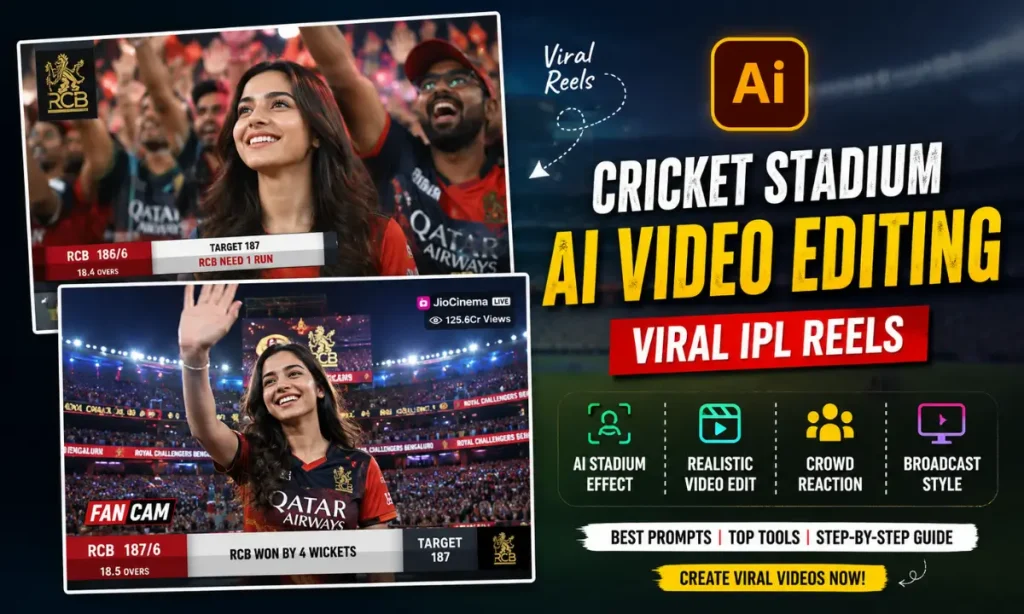
In this guide, you will learn everything about cricket stadium AI, including the tools you need, video prompts, editing tips, and how to create realistic stadium videos that attract views and engagement. Also check: IPL Jersey AI Photo Edit Prompts.
What Is Cricket Stadium AI Video Editing?
Cricket Stadium AI Video Editing is a process where artificial intelligence transforms a normal photo into a realistic cricket stadium scene. The AI can place a person in a large stadium surrounded by thousands of fans while adding motion effects, crowd reactions, and broadcast-style camera movements.
The trend became popular because it combines the excitement of cricket with the power of AI video generation. Instead of recording footage in a real stadium, users can create virtual stadium experiences within minutes.
Many creators use this technique to appear on giant stadium screens, celebrate match-winning moments, or create fan-cam style videos inspired by major cricket tournaments.
Why Cricket Stadium AI Videos Are Going Viral?
The popularity of cricket plays a major role in the success of this trend. Millions of fans follow tournaments such as the IPL, World Cup, and international cricket series. AI makes it possible for anyone to become part of that atmosphere.
Several factors contribute to the viral nature of these videos:
These videos are visually appealing and often receive higher engagement because viewers enjoy seeing familiar cricket settings combined with personalized content.
Tools Required for Cricket Stadium AI Video Editing
Before creating your video, gather the necessary tools.
AI Image Generators
AI image generators help create realistic cricket stadium scenes from text prompts. Popular options include:
- Google Gemini
- ChatGPT Image Generator
- Leonardo AI
- Midjourney
AI Video Generators
These platforms animate your image and add motion effects.
- Kling AI
- Runway ML
- Pika AI
- Hailuo AI
Mobile Editing Apps
You may also need a simple editing app for final adjustments.
- CapCut
- VN Editor
- Alight Motion
Audio Resources
Adding crowd noise and stadium sounds can significantly improve realism. Free sound effects are available from many online libraries.
How to Create a Cricket Stadium AI Video Step by Step?
Step 1: Select a High-Quality Photo
Choose a clear portrait image with good lighting. High-resolution photos produce better AI results and maintain facial details during video generation.
Step 2: Generate a Cricket Stadium AI Image
Upload your photo to an AI image generator. Use a detailed prompt describing a cricket stadium, cheering fans, floodlights, and sports broadcast atmosphere.
The AI will create a realistic image that serves as the foundation for your video.
Step 3: Create an AI Video Using Motion Prompts
Upload the generated image into an AI video platform. Enter a motion prompt describing camera movements, crowd reactions, and cinematic effects.
The AI will animate the scene and create a dynamic stadium video.
Step 4: Add Stadium Sound Effects
Crowd cheers, applause, and match commentary help create an authentic cricket experience. These sounds make the video feel more immersive.
Step 5: Export and Share the Final Video
Export the video in high quality and upload it to Instagram Reels, YouTube Shorts, Facebook Reels, or other social media platforms.
If you are wondering How To Make Cricket Stadium Ai Video, following these five simple steps will help you achieve professional-looking results.
Best Cricket Stadium AI Video Prompt
A detailed prompt is essential for realistic results.
Create a cinematic cricket stadium scene featuring a young person standing in the center of a packed international cricket stadium. Thousands of fans are cheering and waving flags. Bright stadium floodlights illuminate the field. Professional sports broadcast cameras capture the moment. The giant LED screen displays the person’s face. The camera slowly zooms in while the crowd celebrates enthusiastically. Ultra-realistic lighting, high detail, cinematic atmosphere, broadcast-quality visuals, 4K resolution.
Cricket Stadium AI Video Prompt for Boys
Create an ultra-realistic cricket stadium scene featuring a young man standing confidently in the center of a packed international cricket stadium. Thousands of fans are cheering loudly and waving team flags. Bright floodlights illuminate the entire stadium. The giant LED screen displays his face in high definition while professional broadcast cameras capture the moment from multiple angles. The camera slowly zooms in as the crowd chants and celebrates. The young man smiles confidently and waves to the audience. Cinematic lighting, realistic crowd reactions, smooth camera movement, sports broadcast quality, detailed facial features, dynamic atmosphere, 4K ultra-realistic visuals, highly detailed cricket stadium environment.
Cricket Stadium AI Video Prompt for Girls
Create an ultra-realistic cricket stadium scene featuring a young woman standing confidently in the center of a packed international cricket stadium. Thousands of fans are cheering and waving colorful team flags. Bright stadium floodlights illuminate the field. The giant LED screen displays her face in high definition while professional broadcast cameras capture cinematic shots from multiple angles. The camera slowly zooms toward her as the crowd applauds and chants enthusiastically. She smiles naturally and waves to the audience while stadium confetti fills the air. Cinematic lighting, realistic crowd reactions, sports broadcast quality, smooth camera movement, highly detailed facial features, vibrant stadium atmosphere, ultra-realistic 4K visuals, premium IPL-style production, dynamic fan-cam effect.
Cricket Stadium Couple AI Video Prompt
Create an ultra-realistic cricket stadium scene featuring a young couple standing together in the center of a packed international cricket stadium. Thousands of fans are cheering and waving team flags. Bright floodlights illuminate the entire stadium while the giant LED screen displays the couple smiling together. Professional sports broadcast cameras capture cinematic shots from different angles. The camera slowly circles around the couple as the crowd celebrates enthusiastically. Confetti falls from above, creating a festive atmosphere. The couple holds hands and smiles naturally while stadium lights shine in the background. Realistic crowd reactions, smooth camera movement, cinematic lighting, emotional stadium atmosphere, detailed facial features, broadcast-quality visuals, ultra-realistic 4K resolution, IPL-inspired stadium environment, romantic fan-cam style video.
IPL Cricket Stadium AI Video Editing Prompt
One of the most searched trends today is IPL cricket stadium AI video creation.
IPL-inspired edits feature colorful crowds, vibrant stadium lighting, energetic celebrations, and premium broadcast visuals.
Create an ultra-realistic IPL cricket stadium scene with a packed audience, colorful team flags, bright floodlights, giant LED screens, professional broadcast cameras, energetic crowd reactions, dramatic camera movement, realistic stadium atmosphere, high-quality sports production style, cinematic visuals, and detailed facial consistency.
How to Make Cricket Stadium AI Videos Look Realistic
Creating realistic videos requires more than a good prompt. Small details can make a huge difference.
- Use high-resolution photos for better facial details and image quality.
- Copy detailed AI prompts from vm editor that clearly describe the stadium, crowd, lighting, and camera movements.
- Maintain facial consistency to ensure the person looks natural throughout the video.
- Use smooth and realistic camera movements such as slow zooms and tracking shots.
- Add authentic crowd cheers, applause, and stadium sound effects for a realistic atmosphere.
- Match lighting and shadows with the stadium environment to improve visual realism.
- Avoid excessive visual effects that can make the video look artificial.
- Export the video in high quality to preserve details and clarity.
Common Mistakes to Avoid
| Mistake | Why It Causes Problems | Solution |
|---|---|---|
| Using Low-Quality Photos | Blurry or pixelated images reduce facial accuracy and overall realism. | Always use high-resolution photos with good lighting and clear facial details. |
| Writing Vague AI Prompts | Generic prompts often produce unrealistic or inconsistent results. | Include detailed descriptions of the stadium, crowd, lighting, and camera movements. |
| Adding Too Many Effects | Excessive visual effects can make the video look artificial. | Keep effects balanced and focus on realism rather than over-editing. |
| Ignoring Facial Consistency | Faces may change slightly across frames, reducing authenticity. | Use AI tools that support facial consistency and high-detail rendering. |
| Using Unrealistic Camera Movements | Sudden or extreme movements can break the cinematic feel. | Choose smooth zooms, pans, and tracking shots for a professional look. |
| Skipping Sound Effects | Videos may feel empty and less immersive without audio. | Add realistic crowd cheers, applause, and stadium ambience. |
| Poor Lighting Descriptions | Incorrect lighting can create unnatural-looking scenes. | Mention floodlights, stadium illumination, and realistic shadows in prompts. |
| Exporting in Low Resolution | Low-quality exports reduce visual appeal on social media. | Export videos in 1080×1920 resolution with high bitrate settings. |
| Overlooking Social Media Format | Incorrect aspect ratios may crop important elements. | Use a 9:16 vertical format for Instagram Reels and YouTube Shorts. |
| Posting Without Optimization | Even great videos may receive fewer views. | Use relevant captions, hashtags, and post during trending cricket events. |
Best Export Settings for Instagram Reels and YouTube Shorts
After creating your video, export it using optimized settings.
Here are the Recommended Settings:
These settings ensure your content looks sharp on mobile devices and social media platforms. Apart from manual video editing, try: Mission Impossible CapCut Template & Prompt Hunt AI.
Tips to Make Your Cricket Stadium AI Video Go Viral
Conclusion
The rise of cricket stadium AI video editing has opened exciting opportunities for content creators and cricket fans. With modern AI tools, anyone can create realistic stadium videos that resemble professional sports broadcasts.
From creating a simple cricket stadium AI image to generating a cinematic IPL cricket stadium AI video, the entire process has become easier than ever. By using quality photos, detailed prompts, realistic sound effects, and proper export settings, you can produce engaging videos that capture attention on social media.
Whether your goal is entertainment, personal branding, or viral content creation, cricket stadium AI videos offer a creative way to combine sports passion with the latest AI technology.